Mini Race Official & Community Links
Jump to the Roblox experience, the LoganTaylor Studios group, and trusted places to verify Mini Race news.
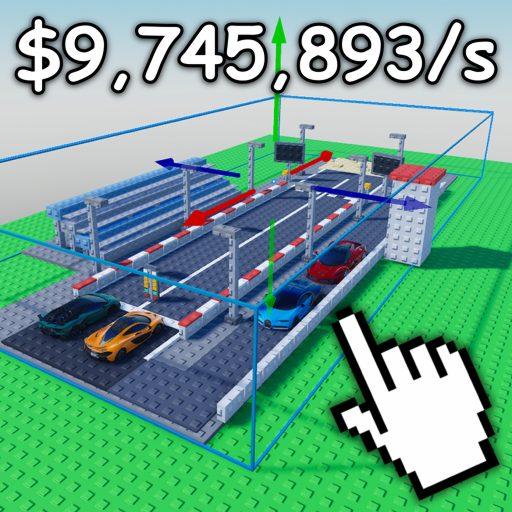
When a live Roblox game ships crates, auctions, and circuit seasons, bad links waste more time than bad lineups. This Links Hub gathers the official destinations for Mini Race [AUCTIONS] and explains how to use community tips without confusing fan guides for studio announcements. Bookmark it beside Codes and Updates so you always know where the truth lives.
This wiki is unofficial. LoganTaylor Studios did not publish these pages. Always confirm patch timing, code validity, and economy changes in the live game or on the studio’s own Roblox channels before you spend large amounts of cash or gems.
Official destinations
Play Mini Race on Roblox
Game page: Mini Race [AUCTIONS] on Roblox
Use the official experience link when you want to join a server, favorite the place, or check the live description for developer notes. Server browser details, max players, and visit counts change over time—treat the Roblox page as the source of truth for join status.
LoganTaylor Studios group (join for rewards)
Group: LoganTaylor Studios on Roblox
Join this group. Membership is how Mini Race and sibling experiences often gate free rewards, and the wall/shouts carry patch callouts that never appear in a single private server. The community is large (on the order of 140K members), so always use the official ID above — impersonators copy the name. Step-by-step join help, reward claim habits, and fake-group warnings live on Join Group.
Follow the group for wall posts, shout updates, and related experiences from the same studio. If a rumor about Auction Garages, new buildings, or code drops spreads in chat, verify it against the group or the game page before resharing.
What to verify on official channels
Before you trust a tip—even one on this wiki—check:
- Whether a promo code still redeems in the live client (start with our Codes list, then confirm in-game).
- Whether a building or auction feature matches the current Auction Garages / buildings catalog after major patches.
- Whether circuit capture or offline cash rules changed in the newest notes on Updates.
- Whether a “must-buy” car still belongs in starter, mid, or anchor roles per the Lineup Planner and tier list.
Official channels will not host this fan wiki’s planning tools. That separation is intentional: we summarize player-facing workflows; the studio ships the product.
Community tips that actually help
Good community advice is specific, dated, and falsifiable. Prefer tips that say “after the September 2026 Auction Garages update, prioritize X building only if your circuits already pay offline cash” over tips that say “buy everything.” When you read Discord chats, YouTube comments, or Roblox forum posts, run each claim through this filter:
- Does it name a patch or date? Timeless absolute claims age poorly.
- Does it match the core loop? Cars from crates, garages and buildings, race lineups, circuit captures, duplicate sales—advice that ignores offline cash often overvalues vanity pulls.
- Can you test it in one session? If not, park it until you finish Getting Started fundamentals.
- Does it push scripts or account sharing? Walk away. Use only the Scripts caution pages on this wiki if you research client tooling, and never trade account security for a shortcut.
Community creativity is how many players discover clever garage layouts or lineup synergies. Community pressure is also how bad spending memes spread. Keep Cash Goals open when a viral tip tells you to dump every gem tonight.
How this wiki uses links
Internal links on Mini Race Wiki stay locale-agnostic with trailing slashes—for example Tools, Cars, and Guides. External links on this page point at Roblox properties you can audit yourself. We do not hotlink random third-party images as proof of a meta, and we do not invent video IDs for embeds elsewhere on the site.
When we reference the RELEASE code, Auction Garages, or the 60+ buildings wave, we treat those as player-facing milestones you should still confirm live. If the studio retires a code or renames a feature, update your personal notes even if a wiki page has not refreshed yet—then check Updates on your next visit.
Suggested link workflow for regular players
- Join from the official game page.
- Skim the LoganTaylor Studios group for shouts.
- Redeem anything listed on Codes.
- Read the newest entry on Updates.
- Adjust lineup roles with the Lineup Planner.
- Set a wallet plan on Cash Goals.
- Cross-check car quality on the tier list and Cars.
That loop keeps official sources and fan tools in the correct order: announce → verify → plan → spend → race.
Reporting bugs and broken rewards
Bug reports, missing group gifts, and broken redeem flows belong on Roblox-native paths tied to the experience or the official community — not in random comment sections under unofficial videos. Start from the game page and the LoganTaylor Studios group, describe what you saw in the live client, and keep expectations realistic: live-ops games patch on studio time. Track confirmed player-facing changes on Updates after they ship.
Reporting bad links or outdated claims
If a Roblox URL on this hub 404s, if the group ID changes, or if a community tip on a guide page conflicts with the live client, treat the live client as correct. Revisit this Links Hub after major studio moves; the purpose of the page is orientation, not archival perfection. For join steps and phishing warnings, use Join Group.
For onboarding paths rather than destinations, switch back to Getting Started. For planning worksheets, stay in Tools. For legal information about this fan site itself, use the footer links to Terms, Privacy, and Cookies—those pages are English-only site policies, not Roblox policies.
Stay curious, verify often, and let official LoganTaylor Studios channels win every conflict with rumor. Mini Race rewards players who capture circuits with intention; the same discipline applies to which links you trust.
Frequently Asked Questions
Quick answers to the most common questions.
Is this Mini Race wiki official?
No. It is an unofficial fan resource. Confirm announcements on the [Roblox game page](https://www.roblox.com/games/112152708656470/Mini-Race) and the [LoganTaylor Studios group](https://www.roblox.com/communities/330064258).
Where do I play Mini Race?
Join via the official experience: [Mini Race on Roblox](https://www.roblox.com/games/112152708656470/Mini-Race).
Should I join the LoganTaylor Studios group?
Yes. Join [LoganTaylor Studios](https://www.roblox.com/communities/330064258) for possible in-game rewards and shouts. Follow the Join Group guide and avoid fake communities.
Where should I report Mini Race bugs?
Use Roblox-native paths on the official game page and studio community. Do not trust random third-party "support" DMs asking for passwords.
How should I treat community tips?
Prefer dated, testable advice that fits the crate–garage–lineup–circuit loop. Verify codes in-game and read Updates before major spends.